BB6BET login: sign-in options and what to do when you cannot get in
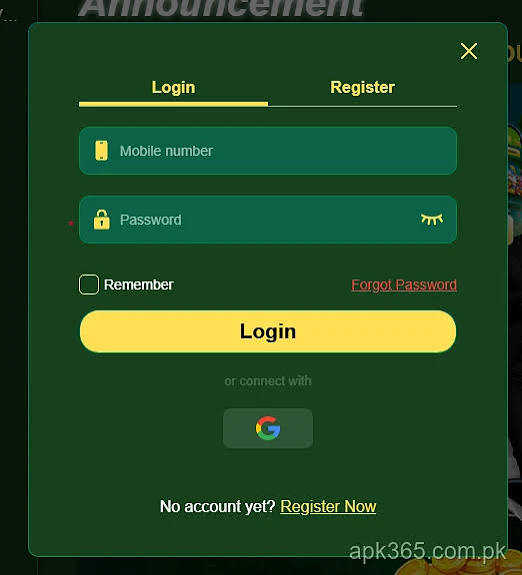
Login with a Google account, a phone number or an OTP worked in our test. This guide is mostly about what to check when it does not: missing codes, new devices, expired sessions and look-alike pages.
Independent site, not the official BB6BET website · 18+ · Last updated: 3 October 2026 · Hands-on test: 2 October 2026
Short answer
Login worked with a Google account, a phone number and an OTP in our test on 2 October 2026. Verified Use the method you registered with. Most failures come from a missing code, a different sign-in method, a changed device or a connection problem.
Login options
| Option | Status | Note |
|---|---|---|
| Google account | Verified | Make sure the correct Google account is selected on the phone. |
| Phone number | Verified | Use the number you registered with. |
| OTP | Verified | Never share the code with anyone. |
| Browser version | Unverified | We could not confirm one exists. Do not trust a search result for it. |
The OTP does not arrive
- Check that the number is exactly the one you registered with.
- Check your signal, and that your SMS inbox is not full or blocking unknown senders.
- Wait a few minutes. Asking again and again can trigger a temporary limit, which we cannot confirm for BB6BET.
- Restart the phone and try once more.
- If it still fails, screenshot the screen and the time and ask live chat. See the support request guide.
Forgotten or incorrect password
Use the reset option inside the service only. Do not follow a reset link from an unexpected message, even if it looks like it came from BB6BET. If you originally signed in with Google, there may be no password at all, and the Google button is the right route.
New device, expired session or after an update
- New device: sign in with the same method as before. A different method may open a second account. Before you switch phones, make sure you can receive the OTP on the new one.
- Expired session or unexpected logout: sessions end for many reasons, from a long idle period to a changed network. Sign in again. If it keeps happening, tell live chat the times.
- After an app update: close the app fully, reopen it and check your connection. If it still fails, see app not opening or crashing. Do not reinstall from a different source.
- The app and a website show different balances: refresh and check the transaction history. Whether a website version exists is unverified, so be sure you are on the real service.
Technical error or account restriction?
From outside, we cannot tell which one you have. These clues help you describe it accurately.
| Looks like | You see |
|---|---|
| A technical problem | Blank screens, endless loading, errors that appear for every action, or the same trouble in other games and screens. |
| An account restriction | A message that names your account, a withdrawal or a verification step. Everything else may still load. |
| Not sure | No message at all. Screenshot it and ask live chat to say which it is, in writing. |
Look-alike login pages
Read the address letter by letter, be wary of anything you reached through a chat link, and never type an OTP into a page that asks for it before you have logged in. More detail is in the safety guide.
If someone else got in
- Change the password now, and anywhere you reused it.
- Check your email for reset messages you did not request.
- Review recent activity and payments inside the service.
- Contact the service through the in-app chat. We cannot recover accounts.
- If money moved, tell your wallet provider or bank straight away.
Questions about login
Why am I not getting my OTP?
We cannot see how the service sends codes. Check the number, signal and SMS storage, wait a few minutes before asking again, and avoid repeated requests that may trigger a temporary limit.
I forgot my password.
Use the reset option inside the service only. Do not follow a reset link from an unexpected message.
Login fails only after an app update.
Close the app fully and reopen it. If it still fails, check your internet, then see the app-not-opening guide. Do not reinstall from a different source to fix it.
How can I tell a technical error from an account restriction?
A technical error usually affects everything, such as a blank screen or endless loading. A restriction usually shows a message about your account. If there is no message, ask live chat and keep a screenshot.
Someone asked me for my OTP.
Never share it. Nobody legitimate needs it.